
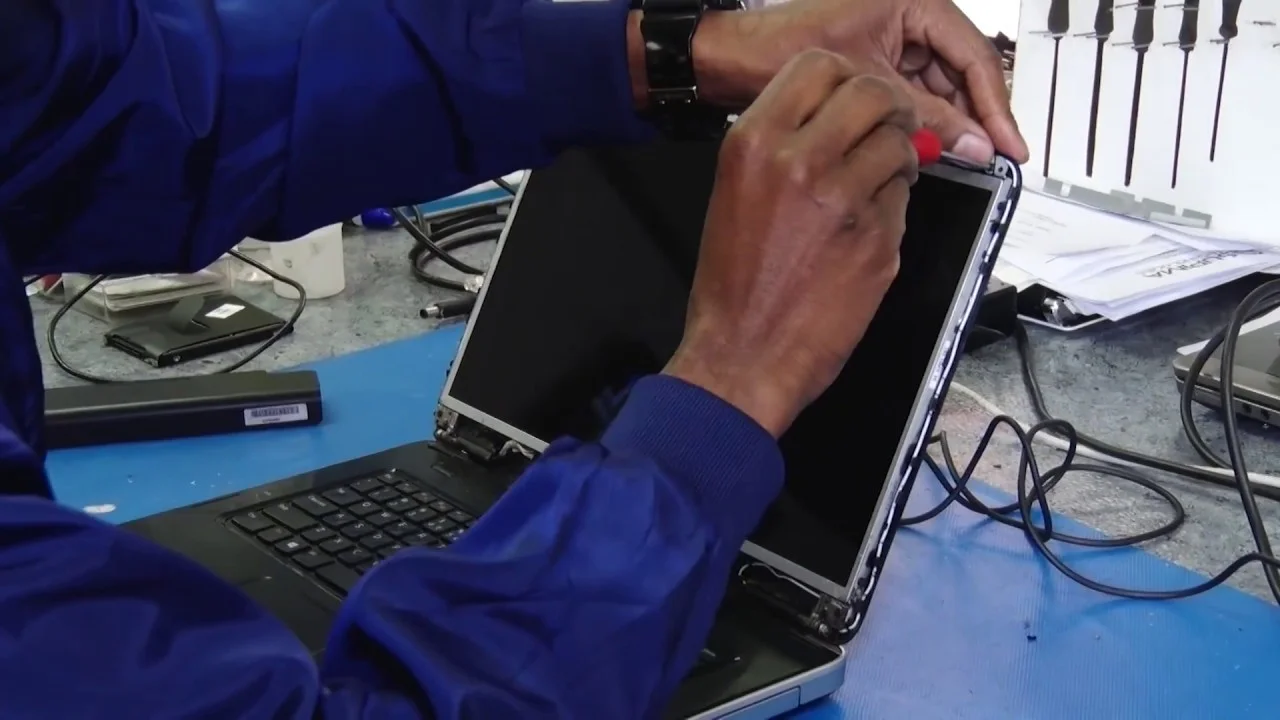
The display panel of your laptop is a key component in the functioning of your computer. If the display has a problem, it will impact the operation of your laptop in various ways. A laptop’s display panel can sustain damage regardless of how the laptop is being used. Whether you use your laptop for work, study, gaming, or leisure purposes, a faulty display will affect your ability to be productive. Laptop Screen Replacement
A laptop user may experience several different types of display problems. Cracks or breaks may develop in the display panel, and you may also have issues with the backlight, such as flicker, dead pixels, black screens, and distortion. If you have one or more of the above types of display problems, AMC IT Solution can provide reliable laptop repair services including replacing your Laptop Screen Replacement screen from experienced technicians using high-quality parts.
AMC IT Solution has technicians with the experience and knowledge necessary to diagnose display problems on a laptop and restore it to its original working condition. Additionally, AMC IT Solution offers a number of different laptop repair services including motherboard and battery replacement, keyboard repair, SSD upgrades, and laptop repair services performed on-site (within Gurgaon or the surrounding areas).
What Is Laptop Screen Replacement?
To swap out a laptop’s screen, you need to remove the old screen (the one that is broken) and install a new laptop screen that is compatible.
Typically, you will need to replace a laptop’s screen when you break the screen or when the LCD fails.
Common reasons for needing to replace the laptop’s screen include:
- Cracked laptop display
- Damaged Liquid Crystal Display (LCD) Panel
- Black-out Display
- Intermittent Flickering (bad connection when displayed)
- White Screen Issue
- Dead Pixels
- Failed Backlight
- Horizontal Lines or Vertical Lines
- Touch Screen Failure
- Water Damaged LCD
When the laptop technician has disassembled your laptop, he/she will replace your damaged screen with a new one, and then will test to make sure the replacement screen works properly and is fully operational.
You Might Need To Change Out Your Display Panel
1. Broken or Cracked Display
If your panel features a break or crack then replacing the panel would be necessary. The small crack may not seem like such a big deal right now, but as time goes on the crack will likely become larger.
2. Flickering Screen
If your computer’s display screen flickers continuously, there are several things that can create this problem. Most commonly it is caused by a defective LCD panel, display connector cable not seated firmly enough into the motherboard, or backlight malfunction.
3. No Display Despite Powering On
An additional symptom of having an issue with your display screen is when you turn your laptop computer on and find that there is no picture on your screen.
4. Dead Pixels
If you see small, black dots or multicolored dots on your computer’s screen that do not change when you change the photos being displayed on the screen, these are typically referred to as dead pixels.
5. Screen Has Coloured Lines
If you see horizontal or vertical colored lines on your computer’s display screen then this normally indicates some type of damage to the display panel or it could imply that there may be an issue with how the motherboard is connecting into your display.
6: The Dim Screen
Your laptop’s screen can be dim when it is set to the maximum brightness – and this could suggest that your backlight is malfunctioning.
Common Causes of Laptop Screens Being Damaged
Dropping a Laptop
When a laptop is dropped, it can instantly break into pieces.
Weight on a Laptop
Placing something heavy on top of a closed laptop can damage its LCD screen panel.
Damage from Spilling Liquid
If liquid spills onto the laptop’s keyboard, it could affect the electronic circuit board and functionality of the screen.
Factory Manufacturing Defects
Sometimes manufacturers produce laptops that have issues with their monitors due to defectiveness.
Heat Damage / Laptop Screen Replacement
The heat produced inside a laptop can affect the performance of both components, such as displays and the internal components of an LCD screen.
There are different varieties of laptop displays: Laptop Screen Replacement
- LCD is the most widely used type of display on both older (but still cheap) and budget laptops.
- LED is a newer technology that uses less energy than an LCD and has superior brightness and power efficiency.
- IPS has the widest viewing angle and provides the most accurate colors compared to any other type of display technology.
- Touchscreens require different procedures for replacement than other types of displays — use caution when replacing touchscreen displays. Laptop Screen Replacement
- OLED is found only in higher-end laptops because of their superior picture quality compared to other types of display technologies.
The Importance of Professional Laptop Screen Replacement
After viewing a video about how to fix laptop screens, some people may attempt to do it themselves. Laptop screens are costly to repair and can be fragile.
Having a professional replace a laptop screen can provide many advantages including
1. Professional Diagnosis:
To identify a failure, the technician can analyze if it is the laptop screen, display cable, motherboard, or graphics issue.
2. Quality Parts:
Professionally sourced quality laptop screen components will function as intended and last longer than non-professional components.
3. Warranty for Professional Parts:
Professional screen replacements typically come with a warranty for the parts replaced.
4. Safe Installation:
Proper tools and techniques will help prevent accidental damage to the laptop when installing screens.
5. Faster Repair:
A trained and experienced technician will have the know-how to replace laptop screens quickly and properly.
The steps involved in replacing a laptop screen include: Laptop Screen Replacement
Step 1: Diagnostic assessment by technician of failure.
Step 2: Identifying compatible laptop model and getting appropriate screen ordered.
Step 3: Carefully remove existing screen attached to laptop without harming any other components of the computer.
Step 4: Install new screen to laptop in proper fashion.
Step 5: Test new screen for brightness, resolution, color, and touchscreen functionality.
Step 6: Conduct complete system check to ensure laptop is fully functional before being returned.
Why Choose AMC IT Solution?
If you need a laptop screen replacement you should find a service provider that knows what they are doing.
- Experienced Laptop Repair Technicians
- Doorstep Laptop Repair Service
- Quick Diagnosis and Repair
- Genuine Replacement Parts
- Competitive Pricing
- Support for All Major Brands of Laptops
- Service is Based Around the Customer
- Complete Laptop Repair Solution
AMC IT Solution also gives you other services like fixing the motherboard replacing the battery replacing the keyboard fixing the charge port upgrading the SSD getting back your data and installing Windows Operating Systems on your laptop. AMC IT Solution is really, about laptop repair and AMC IT Solution wants to help you with your laptop needs.
Laptops We Support
We can fix the screens on these laptops:
- HP
- DELL
- Lenovo
- ASUS
- Acer
- MSI
- Samsung
- Toshiba
- Apple MacBook
- Microsoft Surface
The people who work at AMC IT Solution are very good at fixing laptops. They can fix laptops that people use at home and laptops that companies use. They can do this because they have a lot of experience with laptops like HP and DELL and Lenovo. They can fix laptops like ASUS and Acer and MSI. They can even fix laptops, like Samsung and Toshiba and Apple MacBook and Microsoft Surface.
Preventing a Damaged Laptop Screen
Use a Sleeve or Case
A laptop sleeve is really good at protecting the laptop screen from getting damaged when you drop it or something hits it.
Avoid Heavy Objects
You should not put things on top of the laptop because this can really hurt the laptop screen.
Clean Properly
To clean the laptop screen you should use a microfiber cloth and a special cleaning product that is made for cleaning screens.
Transport with Care
When you need to take your laptop somewhere you should use a bag to carry the laptop so the laptop screen does not get damaged.
Avoid Liquids
You should always keep liquids like water or soda least 3 feet away, from your laptop when you are working on it because liquids can really damage the laptop screen.
Preventing a Damaged Laptop Screen
Use a Laptop Sleeve or Case
A laptop sleeve or case is really good at protecting the laptop screen against bumps and drops.
This is because the laptop sleeve or case acts like a shield.
Avoid putting Objects on the Laptop
Do not put heavy things on top of the laptop because they can damage the laptop screen.
This is very important to remember.
Clean the Laptop Screen Properly
You should use a microfiber cloth and a special cleaning product that is designed for laptop screens to clean the laptop screen.
This will help keep the laptop screen clean and free from damage.
Transport the Laptop with Care
When you need to carry the laptop use a bag to protect the laptop screen from bumps and drops.
- This is a way to keep the laptop screen safe.
- Avoid Liquids near the Laptop
- Keep liquids least three feet away from the laptop when you are working.
- This is because liquids can damage the laptop screen.
- The Advantages of Replacing a Damaged Laptop Screen on Time
- If you replace the damaged laptop screen sooner you can do things.
- You can increase your productivity with a laptop that has a screen.
- You can reduce the risk of damage to the laptop.
- You can have a viewing experience and the laptop will work properly.
- You can make the laptop longer.
- You can help keep the value of the laptop high.
If you do not replace the damaged laptop screen it can lead to problems that will cost more money to fix.
Important Information About Laptop Screen Replacement
A damaged laptop screen can make an otherwise perfectly working computer difficult or impossible to use. Cracks, flickering, black spots, display lines, and completely blank screens are common signs that the display needs attention. In many situations, Laptop Screen Replacement is a practical alternative to purchasing an entirely new laptop.
Before replacing a screen, it is important to identify the exact cause of the problem. A blank display, for example, does not always mean that the screen panel is damaged. A loose display cable, graphics issue, software problem, or motherboard fault can produce similar symptoms. Proper diagnosis helps prevent unnecessary replacement costs.
If your laptop is required for office work, education, or business and the repair process will take some time, using a Laptop on rent can help you continue your daily work without interruption.
Introduction
Laptop screens are among the most sensitive components of a computer. They can be damaged by accidental drops, pressure inside a laptop bag, impacts, liquid exposure, manufacturing defects, or long-term wear. Even a small crack can gradually affect the display and make the laptop uncomfortable to use.
A professional Laptop Screen Replacement involves removing the damaged display panel and installing a compatible replacement. The replacement must match important specifications such as screen size, resolution, connector type, mounting arrangement, and other model-specific requirements.
Choosing a compatible screen is important because two laptops with the same screen size may use different connectors or display specifications. A qualified technician can identify the correct panel and test the laptop after installation.
Question Types
When users search for information about Laptop Screen Replacement, their questions usually fall into several categories.
Is the Screen Actually Damaged?
Before replacing the display, check for symptoms such as:
- Visible cracks or broken glass
- Black or dark patches
- Horizontal or vertical lines
- Flickering display
- Distorted colours
- A completely blank screen
- Display that changes when the lid is moved
If the display works normally on an external monitor but not on the laptop screen, the internal display assembly or its connection may require inspection.
How Much Does Laptop Screen Replacement Cost?
The price varies according to the laptop model, screen size, resolution, panel technology, availability, and whether additional components are damaged.
| Factor | Why It Matters |
| Laptop model | Determines compatible screen options |
| Screen size | Different sizes have different prices |
| Resolution | Higher-resolution panels can cost more |
| Panel type | IPS, TN, OLED and other panels vary in price |
| Connector | The replacement must use a compatible connection |
| Touchscreen | Touch displays may require specialized parts |
| Labour | Installation and testing affect the final cost |
For an accurate price, the exact laptop model and screen specifications should be checked before purchasing a replacement.
Can a Cracked Laptop Screen Be Repaired?
In most cases, a physically cracked LCD or LED panel is replaced rather than repaired. Attempting to repair the cracked panel itself is generally not practical.
However, if the issue is caused by a loose cable or software problem, replacing the screen may not be necessary. This is why diagnosis should come before Laptop Screen Replacement.
Common Causes of Laptop Screen Damage
Laptop displays can fail for several reasons.
Accidental Physical Damage
Dropping a laptop or placing heavy objects on it can crack the display panel. Closing the lid while an object is sitting on the keyboard can also damage the screen.
Pressure and Improper Handling
Carrying a laptop without adequate protection can place pressure on the display. Always use a suitable laptop bag and avoid placing heavy items on top of the device.
Display Cable Problems
A damaged or loose display cable can cause flickering, lines, intermittent display, or a blank screen. In such cases, the panel itself may still be functional.
Hardware or Software Issues
Graphics drivers, graphics hardware, motherboard faults, or operating system problems can sometimes create symptoms that look like screen damage. Professional testing can distinguish these problems from an actual panel failure.
How the Laptop Screen Replacement Process Works
A professional replacement generally follows a systematic process.
Step 1: Diagnosis
The technician checks the display, cables, graphics output, hinges, and related components.
Step 2: Screen Identification
The laptop model and existing panel specifications are checked to identify a compatible replacement.
Step 3: Safe Removal
The damaged screen is carefully removed without damaging the bezel, display cable, hinges, or surrounding components.
Step 4: Installation
The compatible replacement panel is installed and connected correctly.
Step 5: Testing
The laptop is powered on and the new display is checked for brightness, resolution, colours, flickering, dead pixels, and proper operation.
What to Check Before Choosing a Replacement Screen
Do not select a replacement screen based only on its size. Check:
- Screen dimensions
- Resolution
- Connector type
- Refresh rate where relevant
- Panel technology
- Touch or non-touch configuration
- Mounting arrangement
- Laptop model compatibility
Using an incompatible panel can lead to display problems or installation difficulties.
Laptop on Rent During Screen Repair
For professionals and businesses, being without a laptop can affect productivity. If the repair requires additional time, Laptop on rent in Noida or Laptop on rent in Gurgaon can provide a temporary working solution.
Rental laptops can be useful for:
- Office work
- Online meetings
- Temporary projects
- Student assignments
- Business presentations
- Remote work
Once the Laptop Screen Replacement is completed and the repaired laptop passes testing, the rental device can be returned.
How to Prevent Future Screen Damage
A few simple habits can reduce the possibility of screen damage:
- Carry your laptop in a protective bag.
- Never place heavy objects on the laptop.
- Check the keyboard before closing the lid.
- Open and close the screen gently.
- Avoid holding the laptop by its display.
- Keep liquids away from the laptop.
- Do not press directly on the display panel.
Careful handling can significantly extend the useful life of your laptop screen.
Frequently Asked Questions
How long does Laptop Screen Replacement take?
The time depends on the laptop model, screen availability, and type of damage. Straightforward replacements can often be completed relatively quickly, while uncommon models or additional damage may require more time.
Should I replace the screen or buy a new laptop?
If the laptop is otherwise working well, replacing a damaged screen can be more economical than purchasing another device. Compare the replacement cost with the laptop’s age, performance, and overall condition.
Can I replace a laptop screen myself?
Some experienced users may be able to replace certain screens, but modern laptops can have delicate cables, clips, bezels, and connectors. Professional installation reduces the risk of additional damage.
Does a screen replacement affect laptop performance?
A properly compatible replacement screen should not negatively affect normal laptop performance. However, the replacement should match the laptop’s supported specifications.
Can I use a rental laptop while my screen is being replaced?
Yes. Laptop on rent services can provide a temporary device for work, study, meetings, or other activities while your laptop is being repaired.
Mostly Asked Questions !
How long does it take to replace a laptop screen?
It usually takes a hours to one day to replace a laptop screen depending on if we have the parts.
Can you fix a laptop screen?
Usually you need to replace a cracked laptop screen you cannot just fix it.
Is it an idea to replace a laptop screen?
Yes it is an idea to replace a laptop screen because it is usually cheaper than buying a new laptop.
Do all laptops have the screen?
No each laptop model needs a laptop screen that is compatible with the size and other things.
This means you need to get a laptop screen that’s just right, for your laptop.
Conclusion
A cracked or malfunctioning display does not necessarily mean that your laptop has reached the end of its life. In many cases, Laptop Screen Replacement can restore a damaged laptop and make it comfortable to use again.
The most important step is accurate diagnosis. Not every black screen, flickering display, or line on the screen requires a new panel. Checking the display cable, graphics hardware, and other related components can prevent unnecessary expenses.
Choose a compatible replacement screen, use professional installation when necessary, and test the display thoroughly after installation. If you need to continue working during the repair, Laptop on rent in Noida and Laptop on rent in Gurgaon can offer practical temporary options.
With proper handling and timely maintenance, a repaired laptop can continue serving your personal, educational, or business needs for years.
This Post Has 16 Comments
Finally a site that actually pays out without a million questions. The experience has been seamless from start to finish. Visit pkok777bet
Super easy login process and the games load instantly. I love how straightforward everything is here. Best experience so far with 688jililogin
Best platform for local players. The registration was easy and I started playing within minutes. Definitely visit 168jllogin.
A very reliable platform for anyone looking for quality gaming. The security makes me feel safe with my deposits. Check ph98jili
The payout speed here is insane. I got my winnings processed way faster than on other sites. bossjiliph is legit and trustworthy.
Been trying a few different sites lately but this one stands out for the odds. The betting options are huge. Definitely give unbet a try.
Best gaming experience I have had in a while. The graphics are top notch and it is very user friendly. Keep it up idmarvel77.
Great app performance and very stable connection. It is rare to find such a reliable platform these days. Give 09btapp a try if you want a stress-free experience.
I was skeptical at first but the withdrawal process was seamless. Everything is handled professionally here at 991jilicom
Converting long online articles to spoken audio makes listening on the go much easier. Using a free online webpage reader to audio allows you to listen to site articles while multitasking during your commute.
Mapping user step progressions visually requires structured diagram syntax generation like Mermaid. Applying free user flow diagram prompt patterns facilitates automated flow diagram creation.
Using software to revise graphic text with similar typeface style offers a way to adjust portfolio titles. Inspecting type attributes supports design quality.
Understanding the function of each lockout component ensures smooth operation during unexpected emergencies. Review this essential auto lockout tools breakdown to analyze essential equipment used in vehicle access.
Sending virtual presents is simpler with an online ai floral gift generator that constructs detailed floral graphics. It lets users compose unique visual tokens of appreciation quickly for online celebrations.
Finally found a platform that doesn’t lag during peak hours. The payouts are fair and the support team is actually helpful. Definitely recommend ak168com.
Finally a platform that feels fair and transparent with the odds. I’m sticking with ph777php for a long time.